SEO & GEO in 2026 Why I Created BoolTools
Most developers have a complicated relationship with SEO. We know it matters, but it often feels like someone else's problem. We write the code, configure the server, deploy the application, and then a marketing team worries about search rankings. At least, that is how it used to work.
In 2026, that separation no longer holds. If you are shipping a Next.js blog, a SaaS dashboard with public-facing pages, an open-source documentation site, or anything that depends on organic traffic, SEO is your responsibility as much as it is anyone else's. And now there is a new layer to worry about: GEO.
SEO and GEO from a developer's perspective
As developers, we already deal with SEO more than we realize. Every time you set up generateMetadata in a Next.js page, render <title> and <meta> tags, configure a sitemap.xml, or add alt attributes to <Image> components, you are doing SEO work. The difference is that most of us do it without a systematic approach.
SEO (Search Engine Optimization) is the set of technical and content practices that determine how well search engines like Google can crawl, index, and rank your pages. From a dev standpoint, it boils down to: is my rendered HTML correct, fast, accessible, and semantically meaningful?
GEO (Generative Engine Optimization) is the newer discipline. It focuses on making your content accessible and citable by AI-powered engines like ChatGPT, Perplexity, Google AI Overviews, and similar tools. These systems crawl the web, extract information, and present it as direct answers. If your content is not structured for them, you are invisible to a rapidly growing discovery channel.
Why developers should care
Let me put this in concrete terms.
You build a SaaS product. Your pricing page, feature comparison, API documentation, and changelog are all public pages. These pages are what potential users find through Google or through an AI assistant when they ask "best tool for X." If those pages have missing meta descriptions, broken structured data, no hreflang tags for internationalization, or block AI crawlers in robots.txt, you are losing signups. Not because the product is bad, but because the technical implementation is incomplete.
For developer blogs and technical content, good SEO means your tutorials, case studies, and deep dives actually reach the audience they were written for. Without proper heading hierarchy, canonical URLs, and Open Graph tags, your content competes at a disadvantage.
For open-source projects, your documentation site is often the first point of contact. If search engines cannot properly index it, or AI models cannot cite it, new contributors and users will find competitor projects first.
The point is: SEO and GEO are not marketing concerns. They are implementation details that live in your codebase.
The technical checklist for SEO
Here is what actually matters from a code perspective:
Server and infrastructure. HTTPS is mandatory. Your server should return proper status codes (200, 301, 404, not soft 404s). Response headers should include Content-Security-Policy, X-Content-Type-Options, X-Frame-Options, and Strict-Transport-Security. Your robots.txt should be correctly configured, and your sitemap.xml should be generated dynamically and stay up to date with every new route.
HTML and rendering. Every page needs exactly one <h1>. The heading hierarchy (h1 through h6) should be sequential without skipping levels. Title tags need to be unique per page, between 30 and 60 characters. Meta descriptions should be unique and between 120 and 160 characters. All images need descriptive alt attributes. Links should have meaningful anchor text instead of "click here."
Performance and Core Web Vitals. Google uses LCP (Largest Contentful Paint), INP (Interaction to Next Paint), and CLS (Cumulative Layout Shift) as ranking signals. In practice, this means: optimize image loading with next/image or equivalent lazy-loading strategies, minimize JavaScript bundle size, avoid layout shifts caused by dynamically injected content, and keep server response times under 200ms. Every unoptimized third-party script you add to <head> is a potential ranking penalty.
Structured data. JSON-LD scripts using Schema.org vocabulary help search engines understand what your page represents. For a blog post, you want Article schema with headline, datePublished, author, and image. For a product page, Product schema with offers and review. For documentation, TechArticle or HowTo. These are not decorative, they directly influence whether you get rich snippets in search results.
Internationalization. If your app supports multiple locales, every page variant needs correct hreflang tags and alternate links. Missing or misconfigured hreflang leads to duplicate content penalties and poor ranking in localized markets.
The technical checklist for GEO
GEO is newer, but the technical requirements are already well-defined:
AI crawler access. Your robots.txt needs to explicitly allow AI crawlers like GPTBot, ClaudeBot, PerplexityBot, and Google-Extended. Many default configurations block these user agents. If your content is behind a restrictive robots.txt, AI engines simply will not index it.
llms.txt. This is an emerging standard, a file at your domain root that describes your site structure, purpose, and key pages in a format designed for language models. Think of it as a robots.txt for AI comprehension. It tells LLMs what your site is about, where the important content lives, and how to navigate it.
Semantic HTML and content structure. AI models parse your rendered HTML to extract information. Clean semantic markup, proper use of <article>, <section>, <nav>, <header>, and <footer>, with clear heading hierarchies and self-contained paragraphs, makes your content significantly more likely to be extracted and cited.
Structured data for AI. The same JSON-LD structured data that helps Google also helps AI models understand your content programmatically. Well-defined schemas give AI engines metadata they can use to accurately represent your content in generated answers.
The real problem: SEO regressions in the development workflow
Here is the part that hits developers the hardest.
You set up your project correctly. Meta tags are in place. Structured data is valid. Sitemap is generated. Performance is solid. Everything passes. You move on to building features.
Then, two months later, someone adds a new page component and forgets generateMetadata. Another developer refactors the layout and accidentally removes the <h1>. A dependency update changes how images render and breaks alt propagation. A new analytics script gets added to <head> and tanks LCP by 800ms. Your dynamically generated sitemap.xml starts returning stale routes because a filter condition changed.
None of these trigger build errors. None of them break tests. They silently degrade your search visibility, and you only find out weeks later when traffic starts declining.
SEO and GEO compliance is not a one-time setup. It is a continuous validation problem. And it is exactly the kind of problem developers are bad at catching manually because the feedback loop is weeks long and the symptoms are indirect.
Running Lighthouse in Chrome DevTools catches some of these issues, but only for one page at a time, and only the basic ones. Checking 200+ rules across every public route in your application, after every deployment, manually? That does not scale.
Why I created BoolTools
This problem is what led me to create BoolTools.
BoolTools is a new initiative where I am building developer-focused tools that solve real, practical problems in the development workflow. Not marketing tools repackaged for developers. Actual tools built with a developer's mental model in mind.
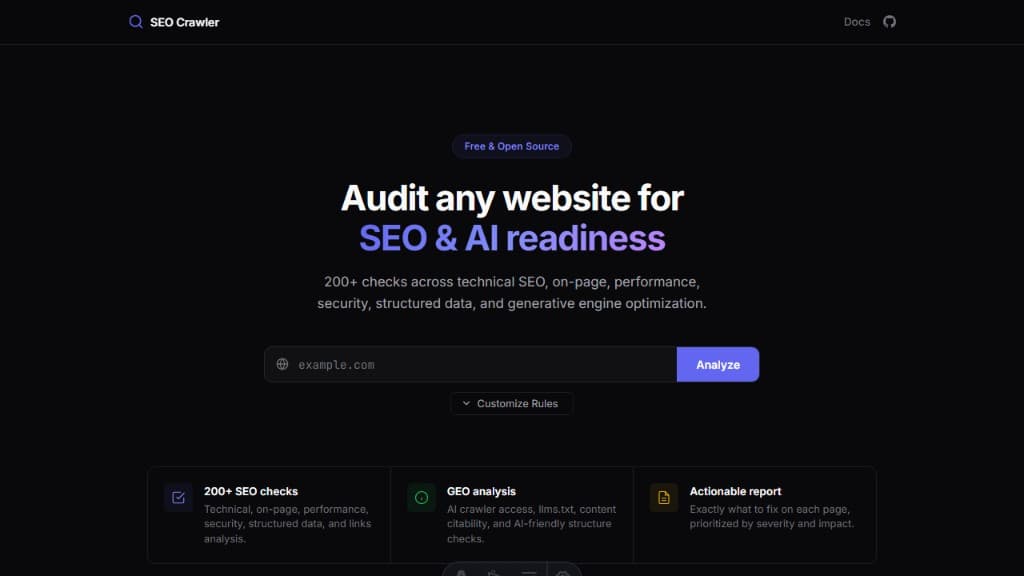
The first tool under BoolTools is an open-source SEO and GEO crawler that runs 200+ checks across your entire site. Technical SEO, on-page optimization, performance signals, security headers, structured data validation, link analysis, and full GEO readiness assessment including AI crawler access, llms.txt validation, and content citability scoring. The project is fully open-source and available on GitHub at https://github.com/booltools/booltools-seo-crawler
It gives you a clear, actionable report prioritized by severity and impact. Not vague suggestions, but specific findings like: "Page /pricing is missing a meta description," "Structured data on /blog/post-1 has an invalid datePublished format," or "robots.txt is blocking GPTBot."
The goal is to make SEO and GEO validation as routine as running your test suite. A tool you can point at your deployed application and get an immediate, comprehensive answer: is my site following best practices, or did something regress?
What comes next
BoolTools is just getting started. The SEO and GEO crawler is the first tool, but I plan to build more utilities that address real gaps in the developer workflow.
If you are building anything with public-facing pages, whether it is a SaaS, a blog, a documentation site, or an open-source project, SEO and GEO are not optional. They are technical requirements that deserve the same attention as your test coverage, your CI pipeline, and your deployment strategy.
And if you want a reliable, automated way to catch regressions before they cost you traffic, BoolTools is built exactly for that.